ZoneTools

A zone file that used to take a full day now takes ten minutes.
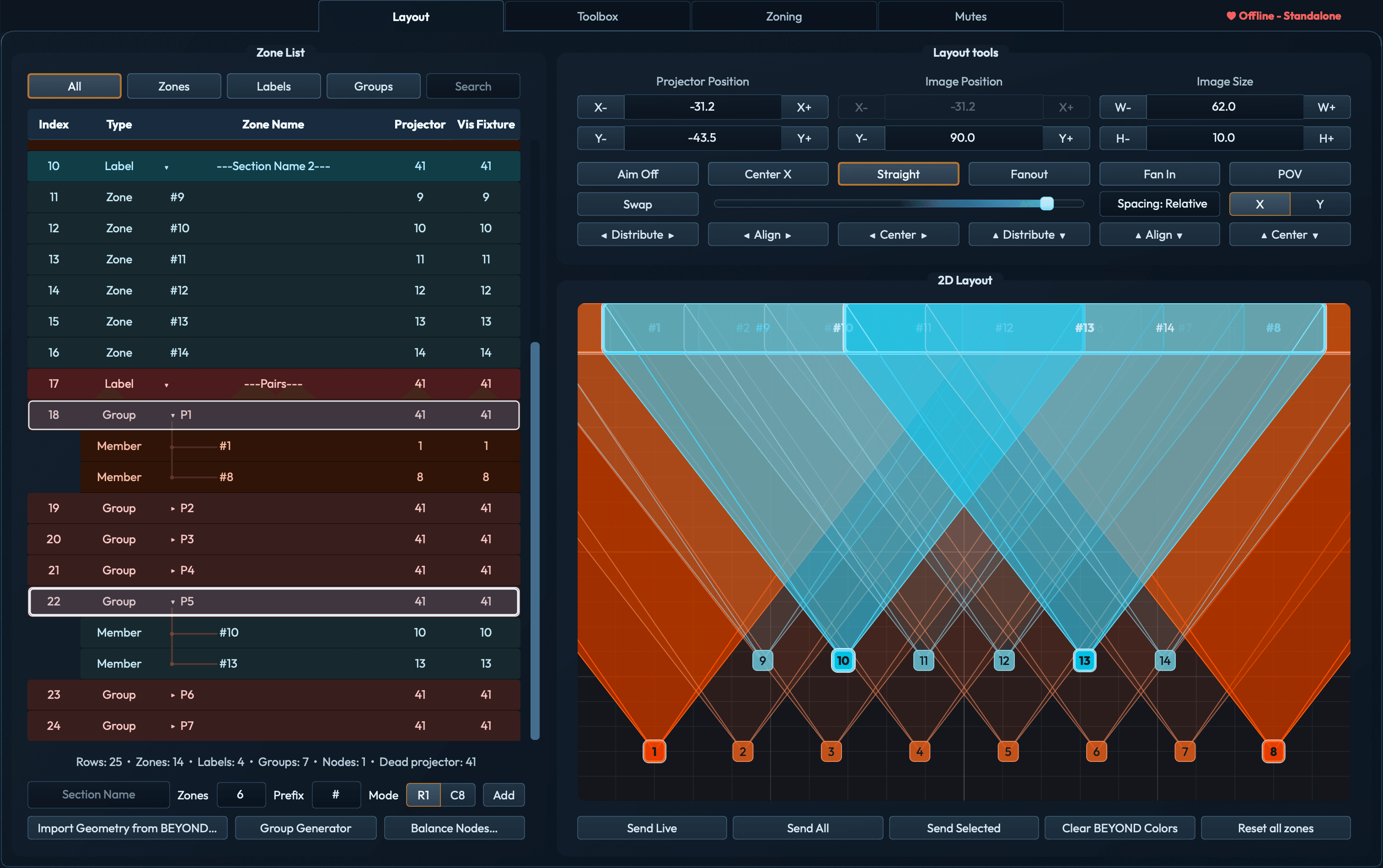
JD3 ZoneTools Layout with routing groups selected and fan patterns visible across the projector layout
Layout · group selection · preview geometry

More time programming the show.

Build the zone list and preview together.

Create zones in bulk, then adjust their spacing and aim with simple and powerful controls.

Adjust spacing across selected projectors.

Two people can zone the same file at the same time.

No more remote VNC. Connect multiple remote laptops to each node and multiple techs can zone at the same time.
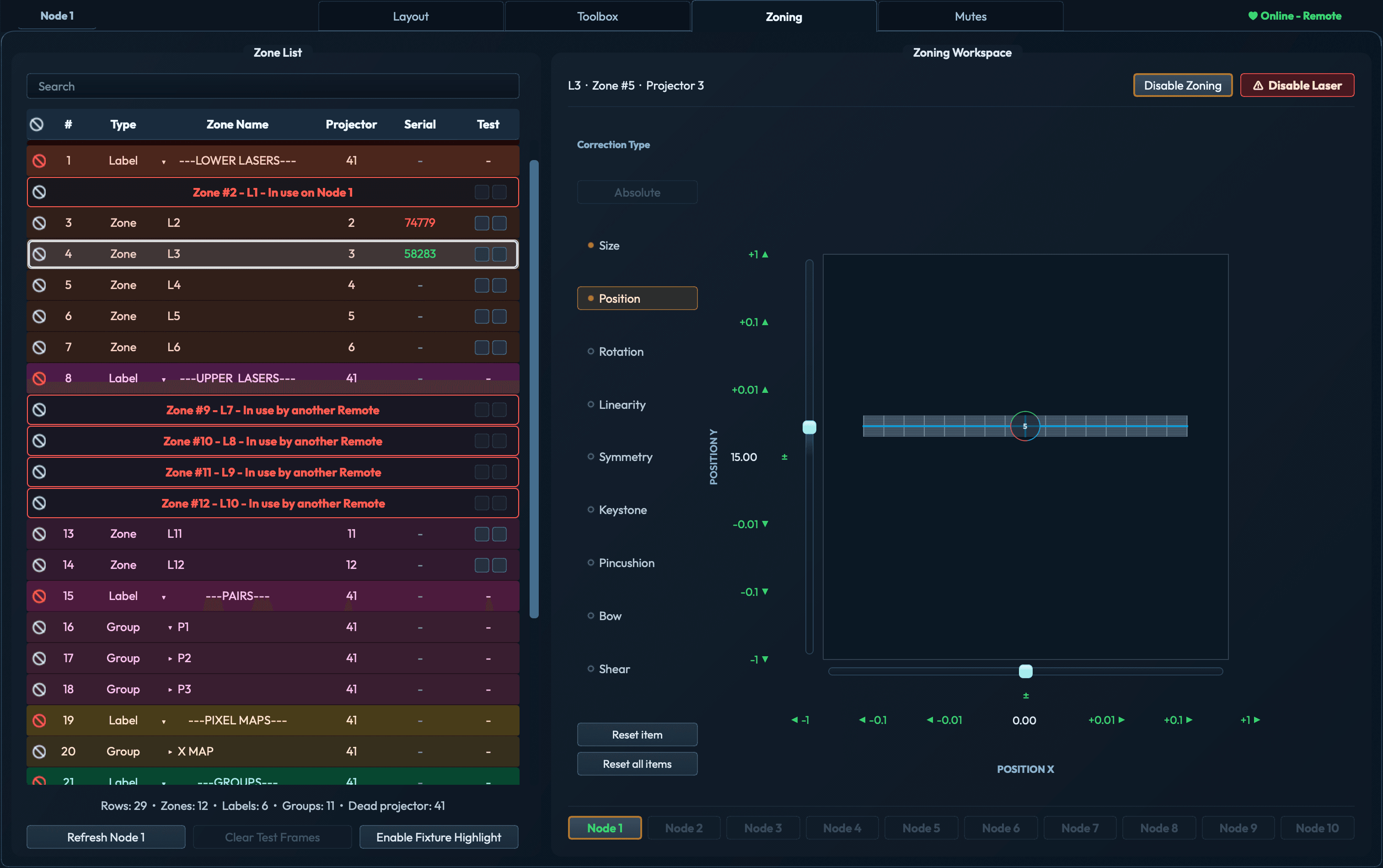
Online Remote zoning L3, with other zones marked in use on Node 1 or by another Remote. Position correction controls and the node selector remain visible.

Larger rigs can connect additional BEYOND PCs. Remote operators are included with every license.
More ZoneTools features

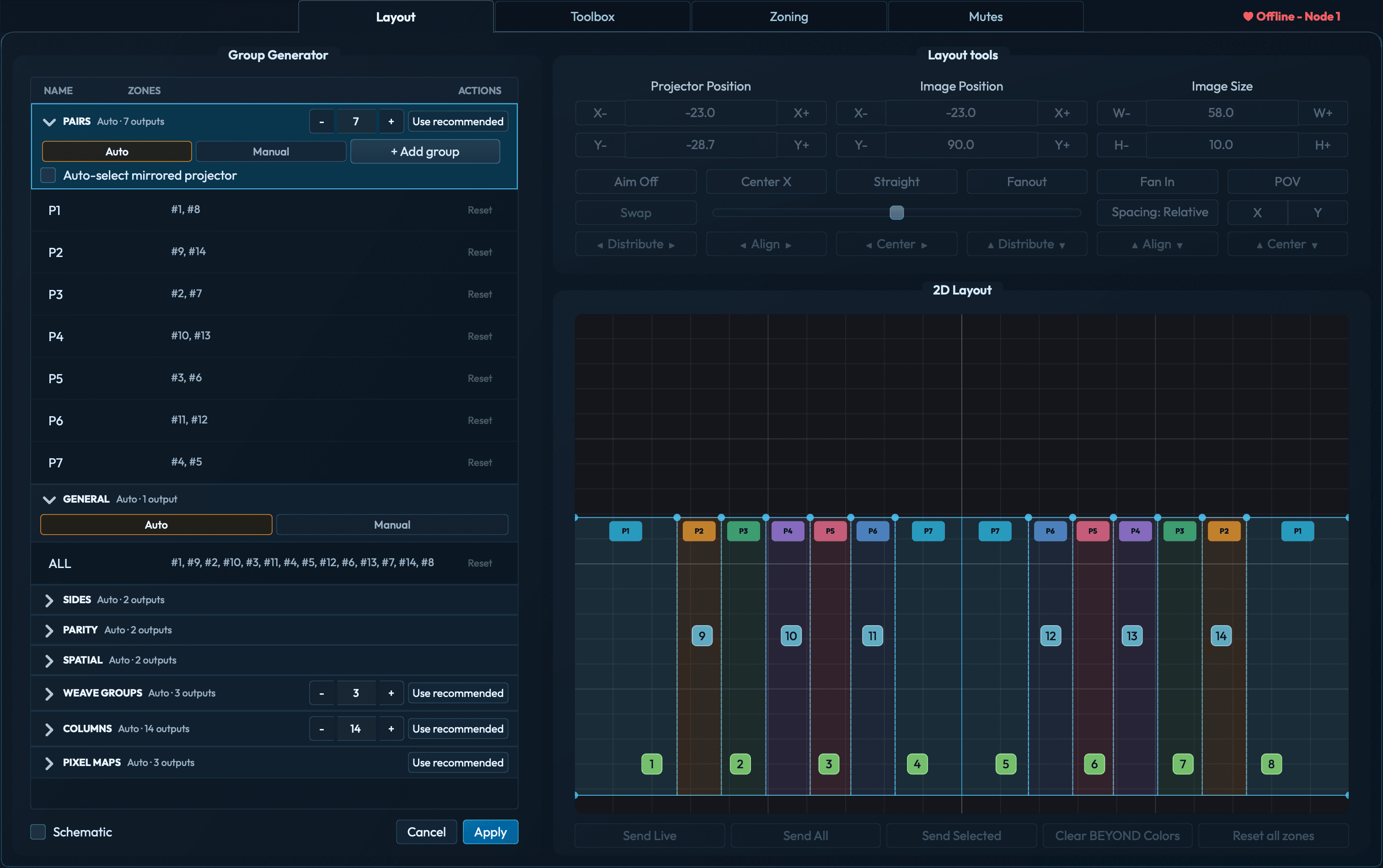
Create groups in Auto or Manual mode.

Generate groups from the layout in Auto mode, or name your own groups and select their projectors in Manual mode. Save group templates for your next show.

Group Generator with seven generated pairs and their memberships listed beside color-coded pair regions across the two-row projector layout.

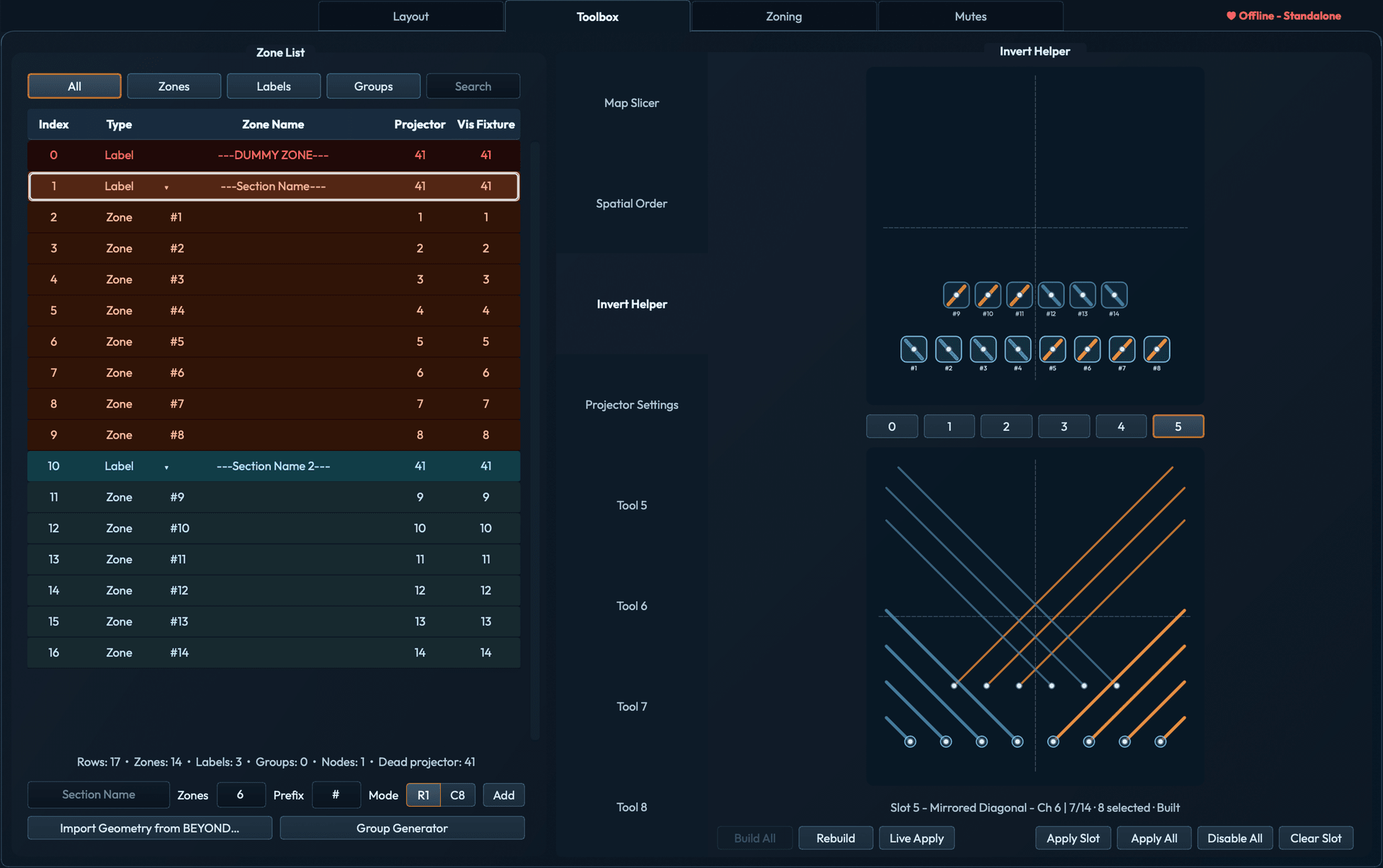
Build invert looks fast.

Start with a Quick Effect stack prepared in BEYOND and pasted into every zone. Create complex geometry in seconds.

Invert Helper showing a geometry-based pattern assigned to one of six channel slots

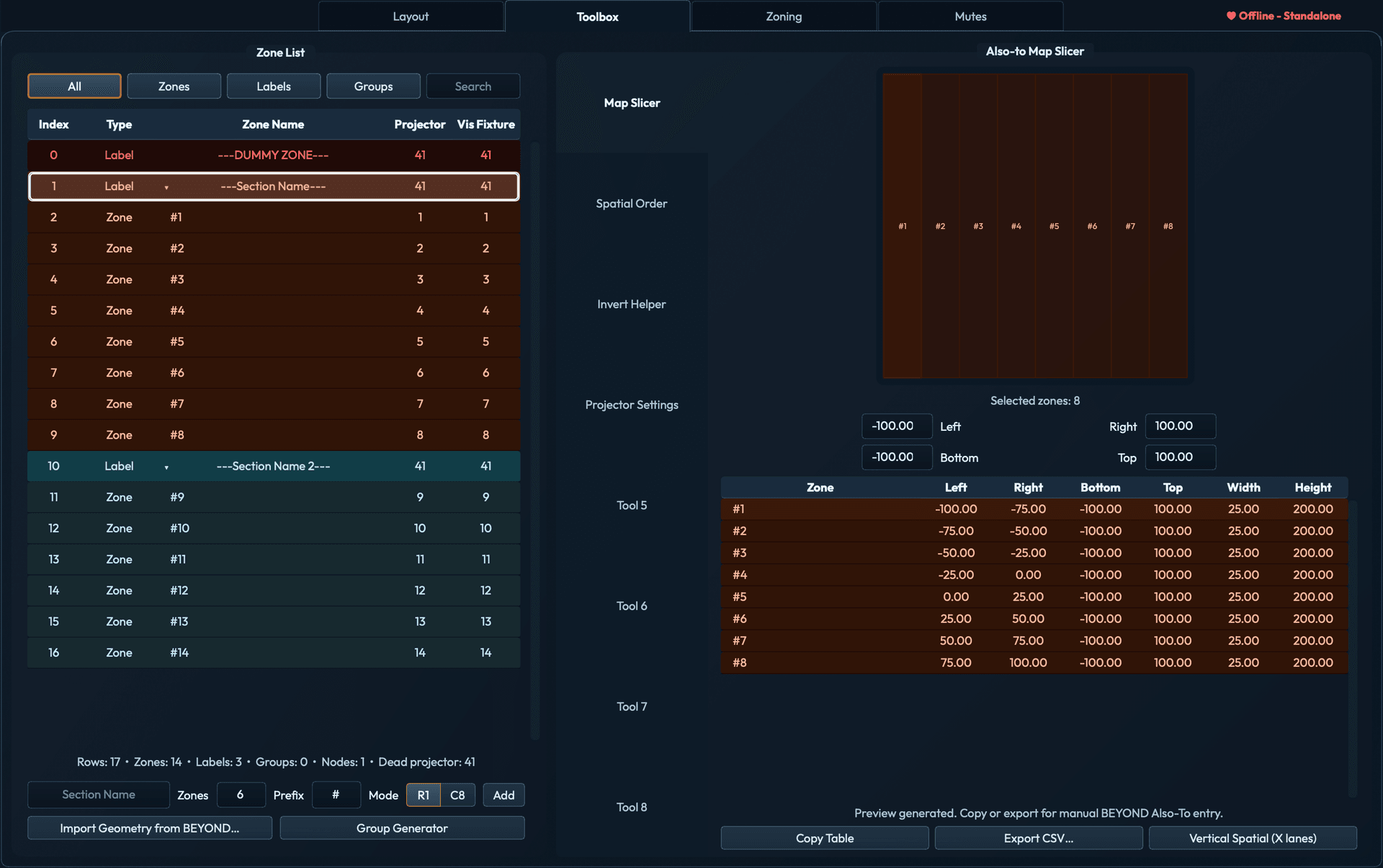
Calculate every pixel-map slice.

Select the zones to calculate each slice. Enter the resulting values in BEYOND’s Window-and-Resize controls.

Map Slicer showing computed left, right, bottom, and top values for selected zones

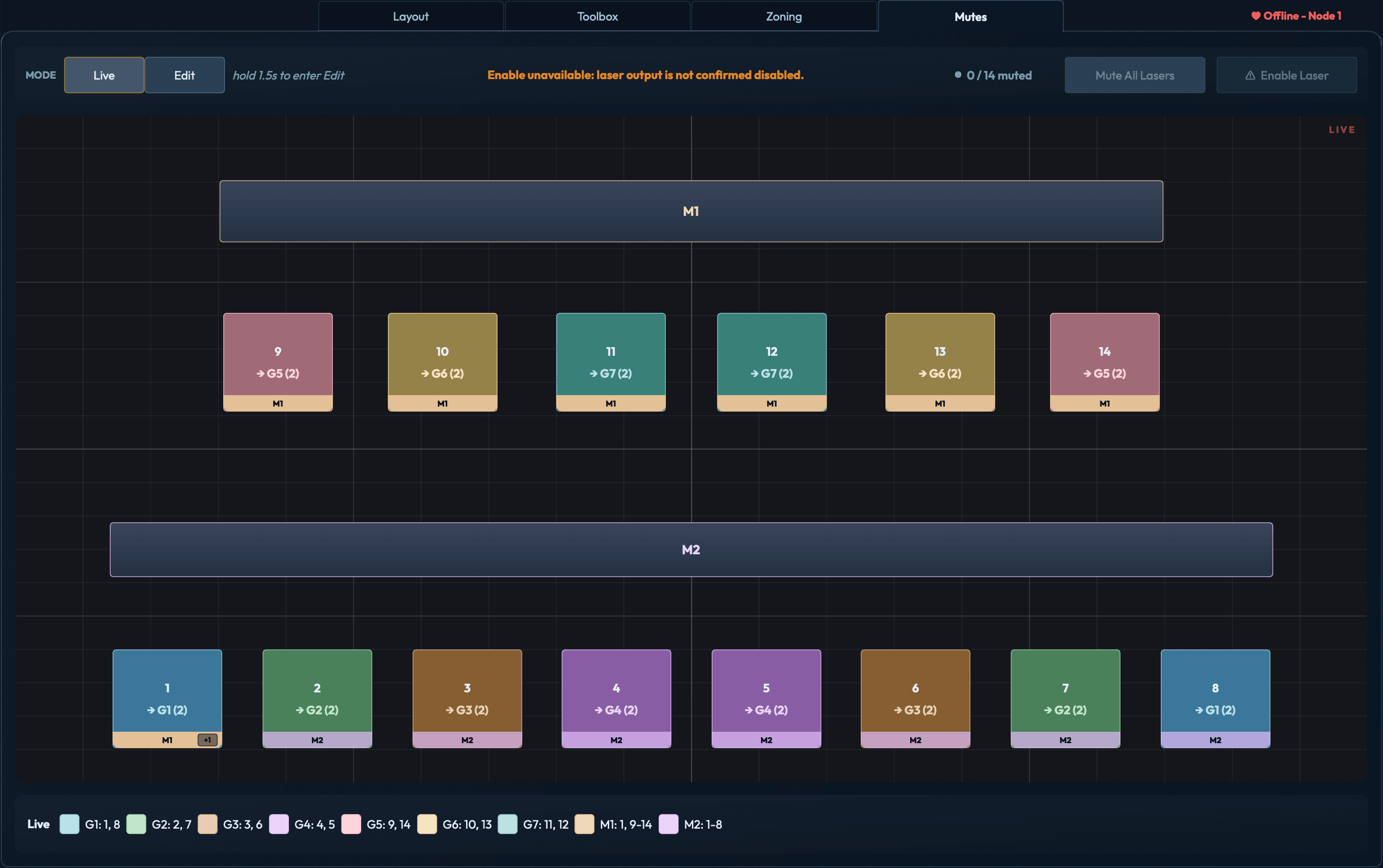
Build mutes for every show.

Skip the tedious scripting and build group and master mute buttons in a simple visual workspace.

Mutes workspace in Live mode while offline, showing 14 projector buttons, seven color-coded groups, and masters M1 and M2. Laser enabling is unavailable.

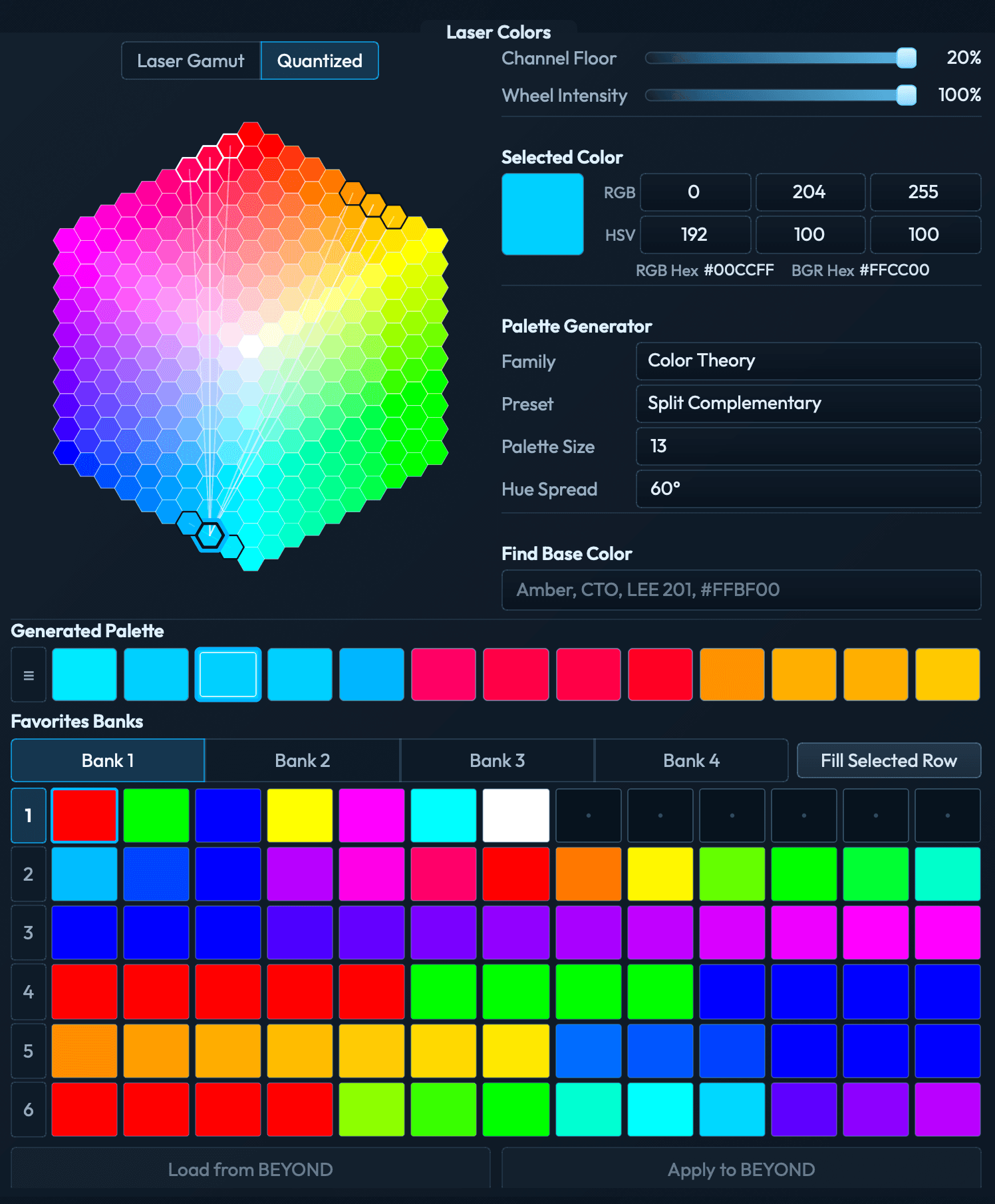
Build palettes with the Laser Gamut Wheel.

Set a minimum channel level to exclude colors that rely on weak RGB output that lasers cannot reproduce predictably. Use Quantized mode for repeatable color steps, generate palettes from color theory presets, and import or export BEYOND Favorites grids. View Laser Gamut mode

Laser Colors in Quantized mode with a hexagonal color grid, a split-complementary palette, and four Favorites banks.

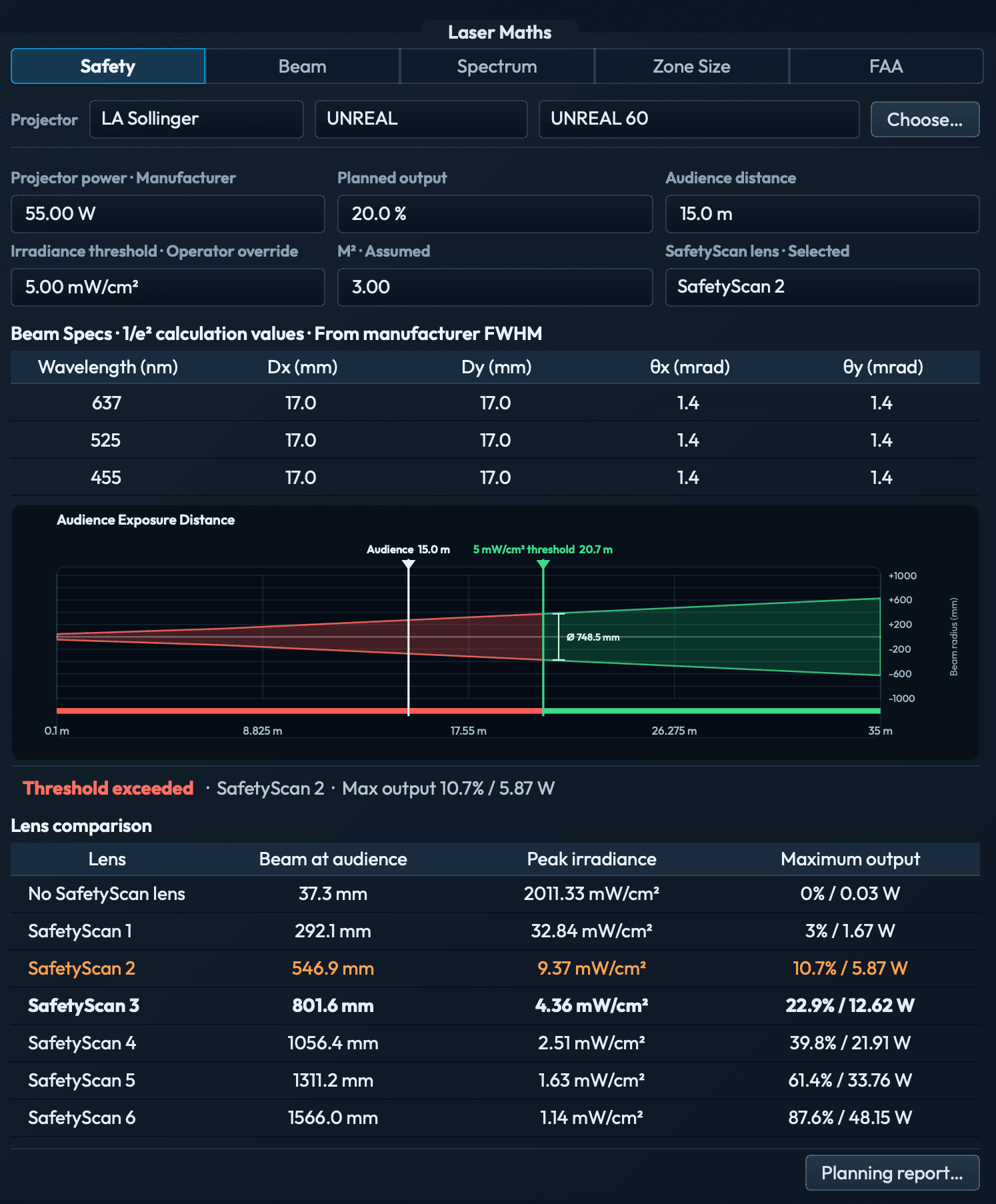
Complex calculations made easy.

Calculate audience-exposure distances, beam expansion, spectral balance, zone size, and FAA exposure distances. Load projector specs from the catalog. Export Safety and FAA reports as PDFs.

Safety calculations with audience exposure distance and SafetyScan lens comparison.
Safety · 1 / 5

One license. No subscription.

$799once

One license covers up to 2 BEYOND machines, which covers most setups. A stadium zone file can take me a full day to build directly in BEYOND. The $799 license is roughly what I would bill a client for that day.

If you are running more than that, add a license for every 2 extra machines. The app tops out at 10 machines, so 5 licenses covers the largest system it supports.

Everything is included

  • +Every workflow tool: Layout, Invert Helper, Spatial Order, Map Slicer, Laser Colors, Laser Maths, Zoning, Mutes
  • +2 BEYOND machines per license
  • +Unlimited remote operators, at no extra charge
  • +Multi-machine sessions with no zone conflicts between operators
  • +Direct Talk TCP and OSC connection to BEYOND
  • +3 concurrent activations
  • +Free updates within your major version
Perpetual license · No subscription · No annual maintenance

Test ZoneTools on your next show.

This is a closed beta for working laser operators and programmers. Every feature is unlocked, and you can contact me directly with feedback or problems.

Request access
Windows · macOS · Pangolin BEYOND 5.5+ · Closed beta